User Problem
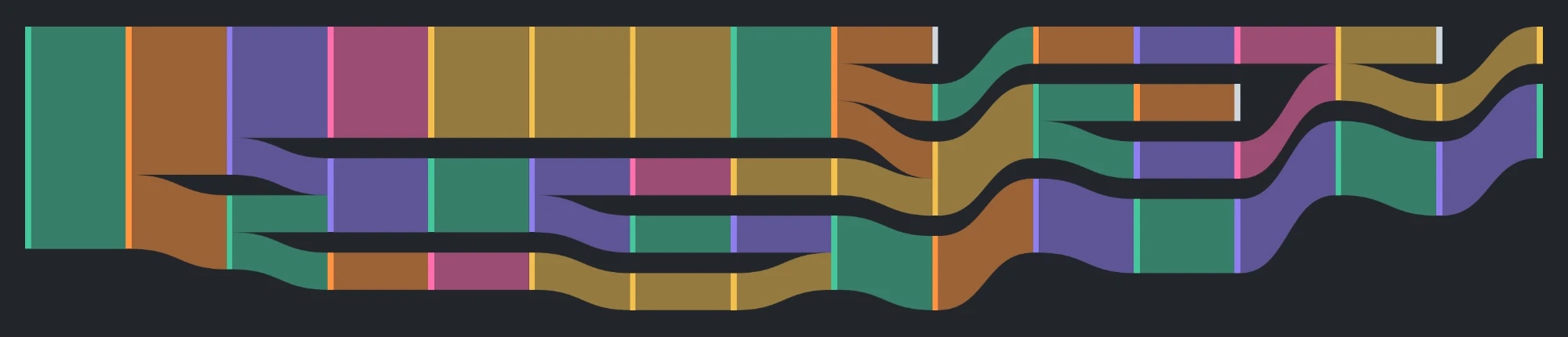
- 1NO AWARENESS
Users couldn’t tell whether their lock was connected.
- 2NO RECOVERY TOOLS
When it failed, the app offered no way to fix it.
Showing Yale Access users how their lock is connected, and giving them a way back when it isn't.
Context
Yale Access is the app 3M people use to control their Yale smart locks. For three years, one complaint kept coming back across five feedback channels: “Lock won’t connect!” I made the case to fix it, then designed how the app shows connection status and helps users recover.
App store reviews, retail reviews, support tickets, NPS scores, and beta feedback, gathered over three years, all said the same thing: “Lock won’t connect!”
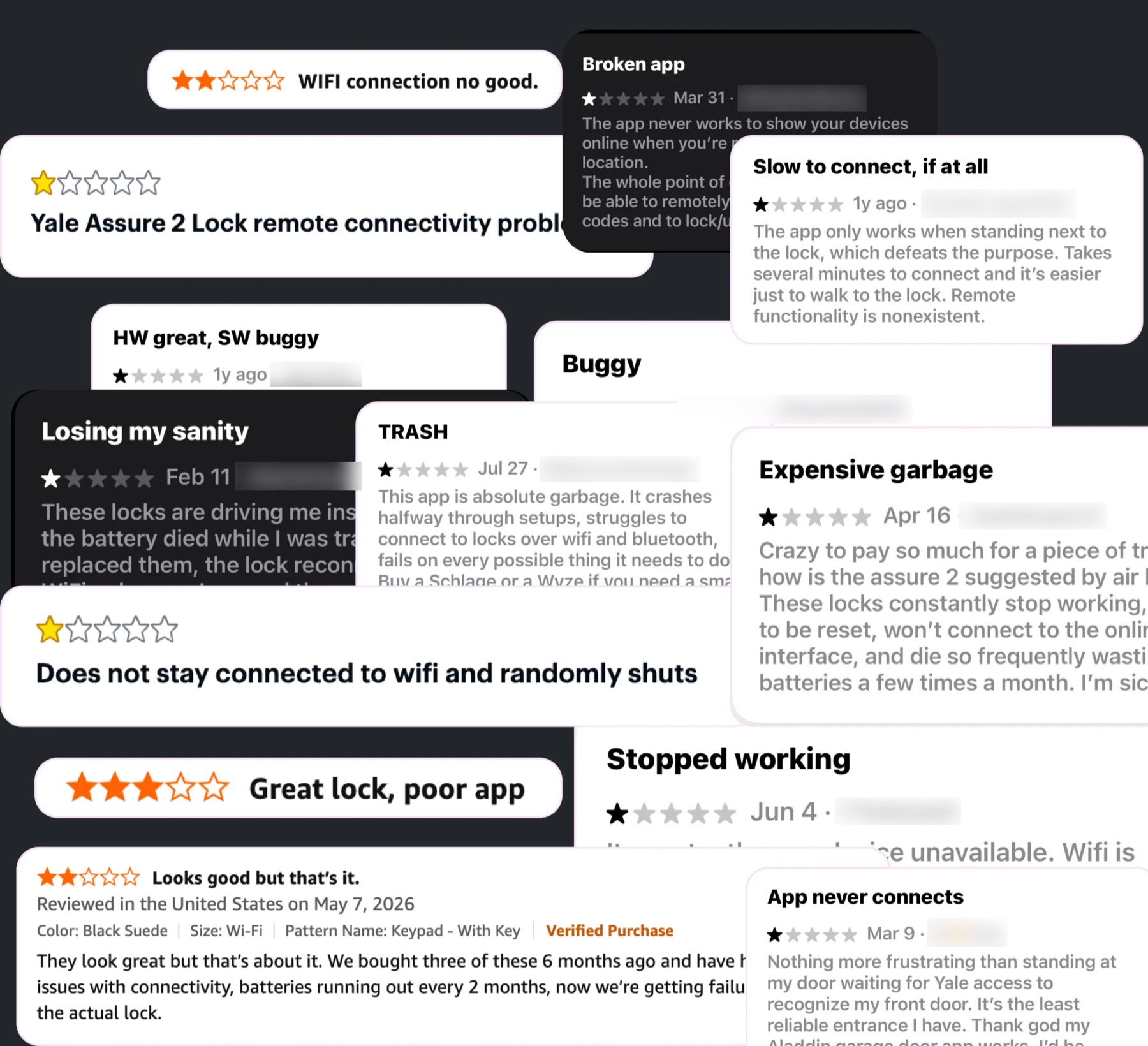
Lock won’t connect!
Users couldn’t tell whether their lock was connected.
When it failed, the app offered no way to fix it.
How might we help people get their lock to connect?
Goals
The following KPIs reflect how the redesign changed the experience for lock owners.
76% higher
SUS Score 51 → 90
From marginal to excellent in usability testing
+0.5 stars
Lock star rating 3.7 → 4.2
On retail sites, after launch
40% fewer
Related support calls −40%
After launch
I gathered three years of feedback, tied it to a drop in star ratings across retail platforms, and presented the findings to product and executive leadership. The work was approved in 2026.
Each solution answers one of the two problems, designed around real technical constraints.
A connection depends on Bluetooth range, Wi-Fi, and how the lock connects: built-in Wi-Fi, a Smart Module, or a Wi-Fi bridge. I built the logic for all 19 recovery scenarios first, then translated it into UI.
problems addressed:
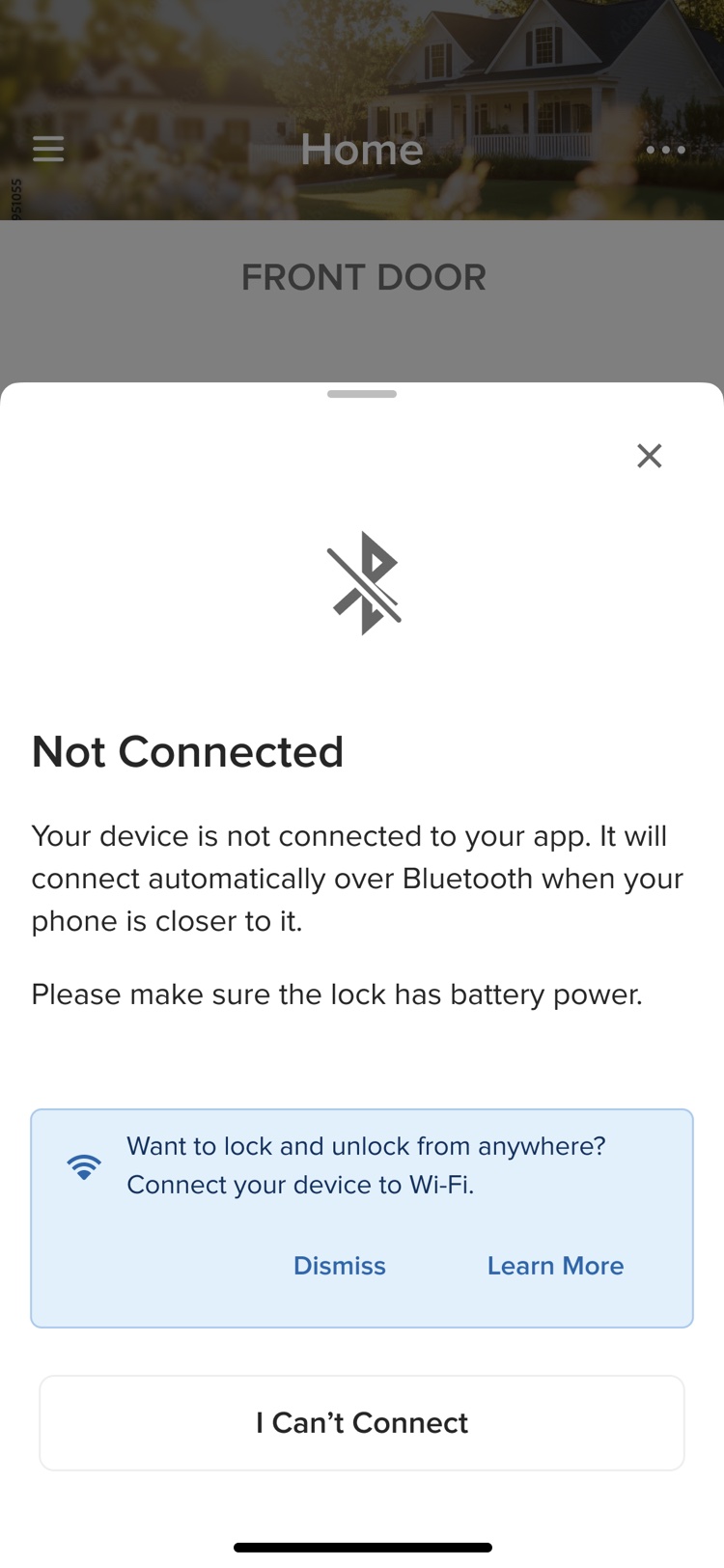
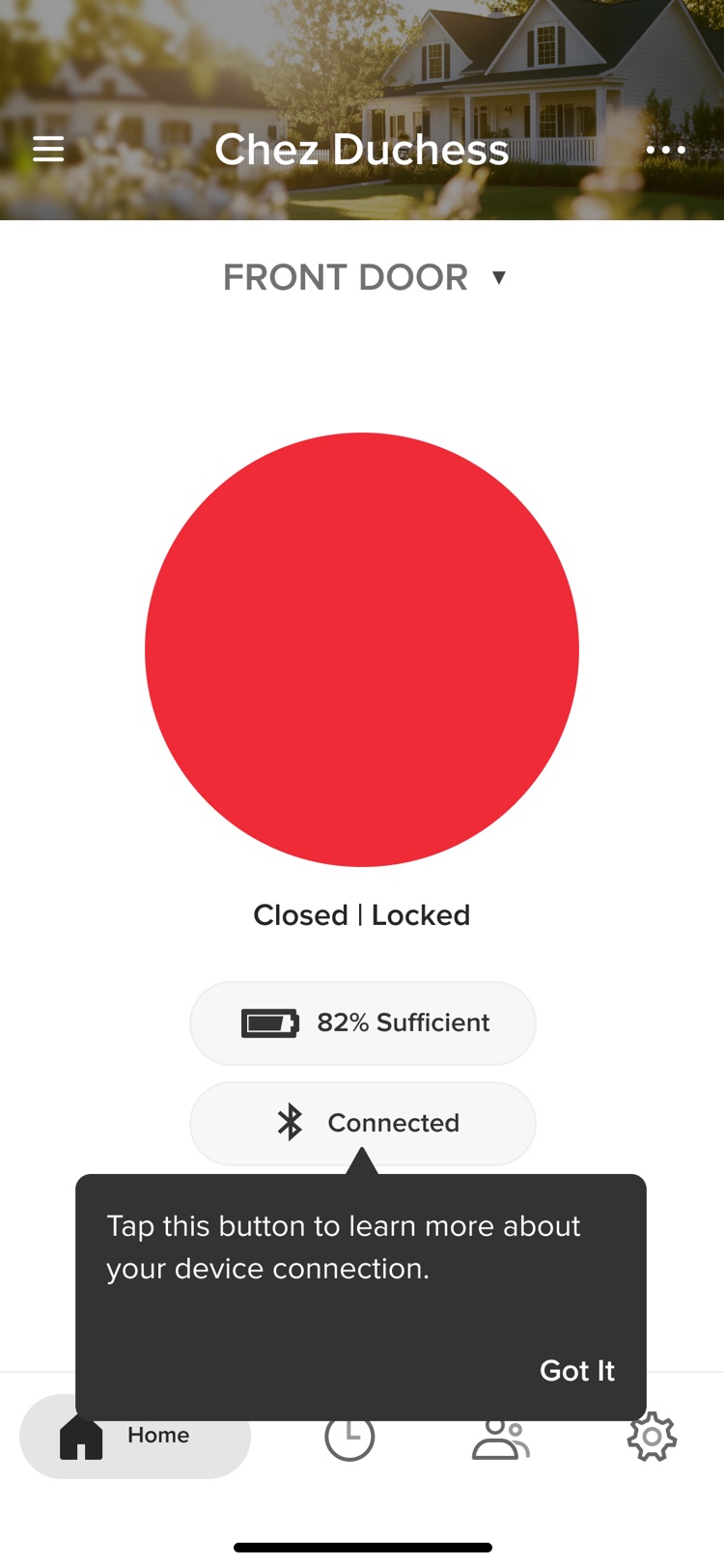
The lock screen now shows whether the lock is connecting, connected, or not, and over Bluetooth or Wi-Fi. Tapping the status explains what’s happening. If it changes while the explanation is open, it updates live.
problems addressed:
Connection timeouts differed by platform: 30 seconds on Android, 15 on iOS. I standardized them at 10. When time runs out, “I Can’t Connect” opens step-by-step troubleshooting that adapts to the lock’s hardware.
problems addressed:
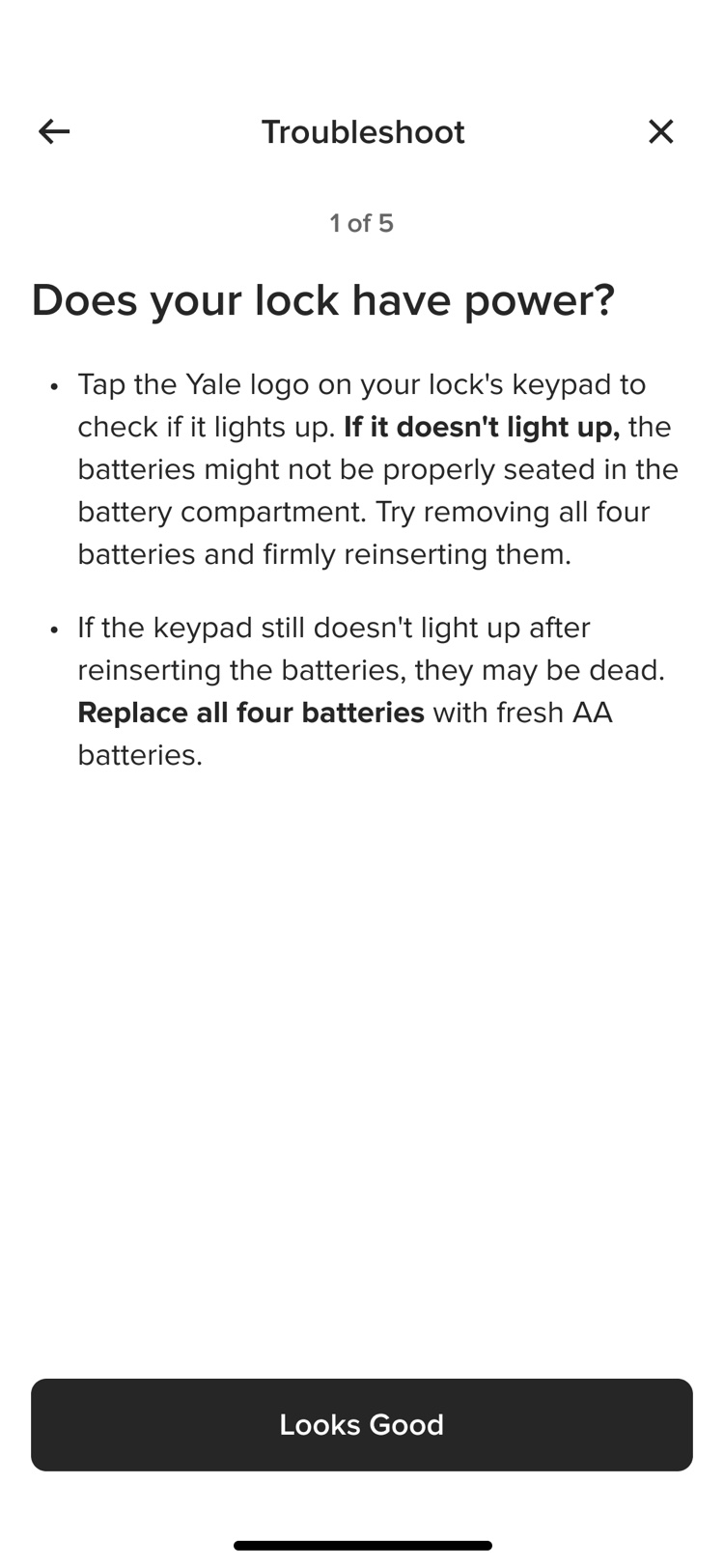
A weak signal now shows up as a warning, with a way to test it. The test checks the router, bridge, and lock, rates each connection strong, weak, or absent, and explains what that means for remote access.
problems addressed:
Many users didn’t know what each connection allows. The app explains it: Bluetooth works up close and every lock has it; Wi-Fi works from anywhere but may need a module or bridge.
problems addressed:
As the only designer on the project, I ran all of the research: 5 user interviews and 20 unmoderated tests on the new status, troubleshooting, and connection-test flows.
Findings
I swear, I’ve called customer support about this before!
I swear, I’ve called customer support about this before!
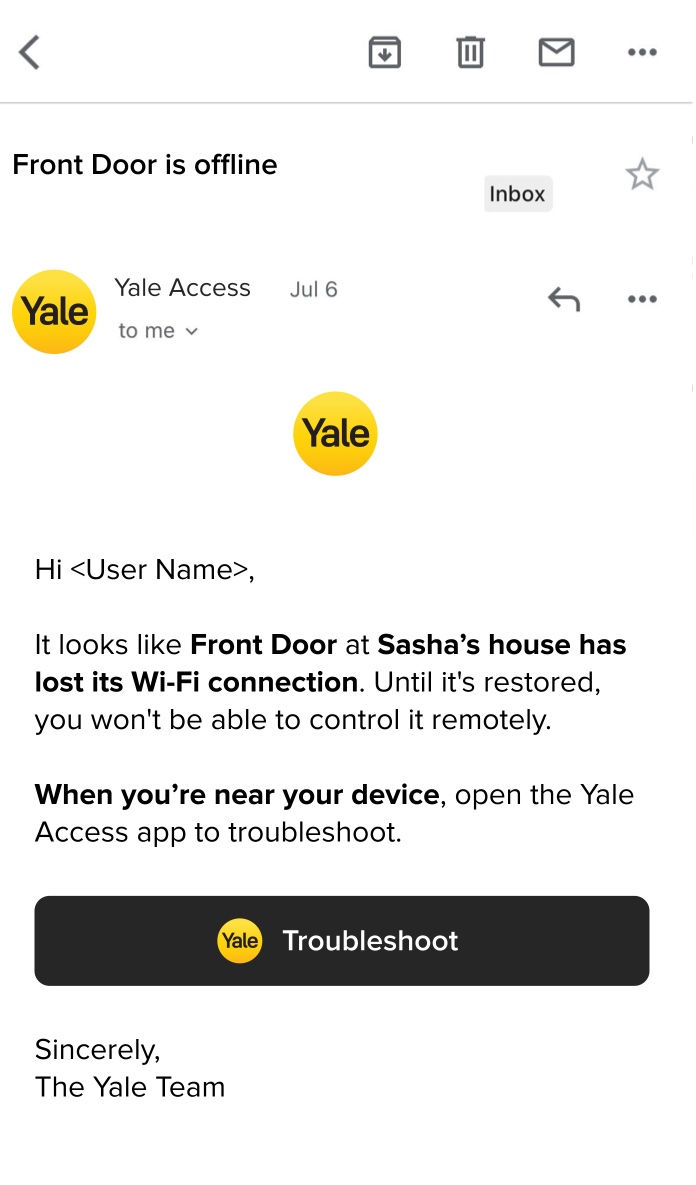
The app sent a push notification every time Wi-Fi dropped. Users with notifications off never found out, and everyone else got alerts for temporary drops. Now an email goes out only if there’s no Wi-Fi for 24 hours, or the connection drops more than 5 times in an hour.
Condition
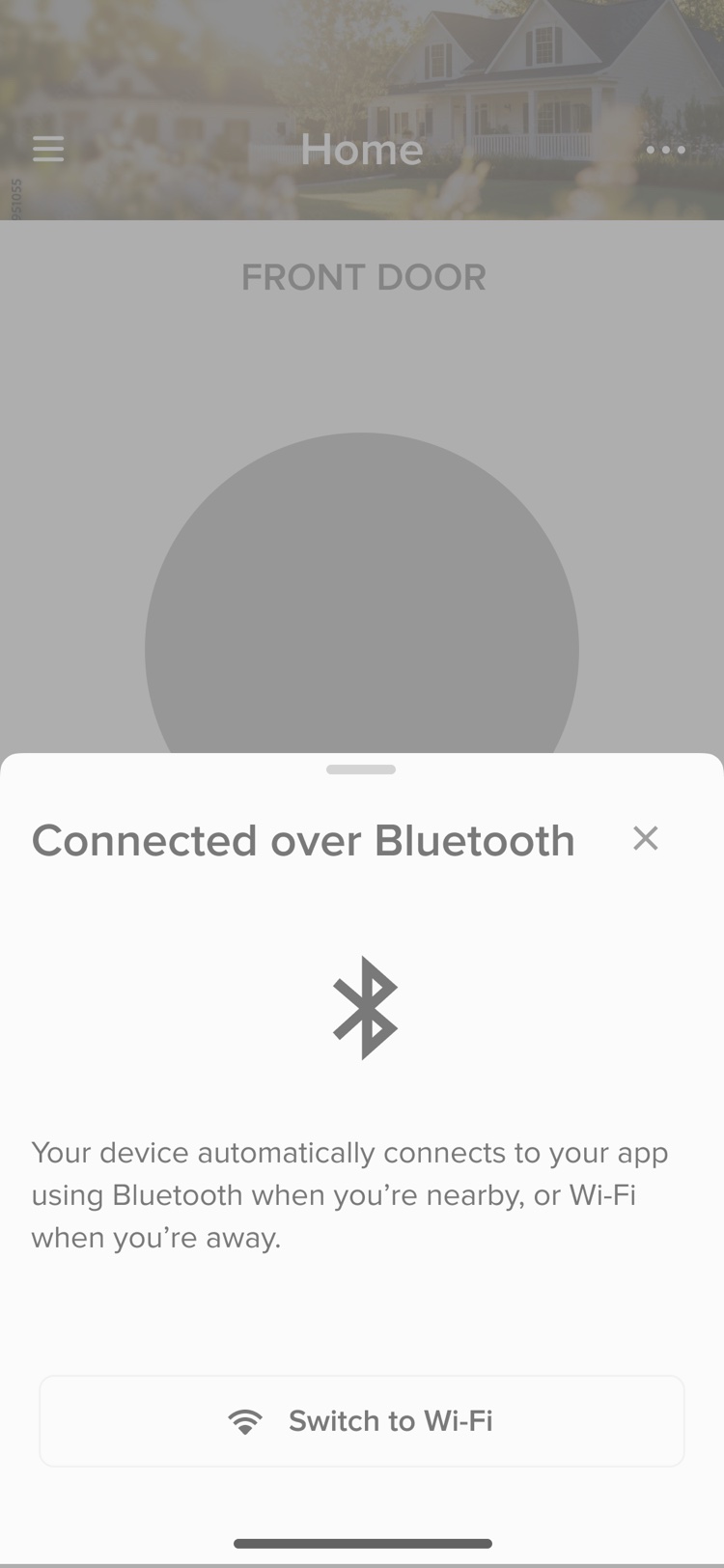
I designed a way to switch between Bluetooth and Wi-Fi once connected, when both are available. Testing confirmed its value, but engineering’s estimate put the launch date at risk. Engineering, product, and I agreed to build it after launch.
Condition
Users can now see how their lock is connected, and every failure leads to a next step.
KPIs
Handoff
I documented all 7 flows and 19 scenarios for engineering and QA, then supported implementation.
Connection switching: the deferred feature, in the backlog for post-launch implementation.
Agentic troubleshooting: exploring how to turn troubleshooting into an agentic experience.